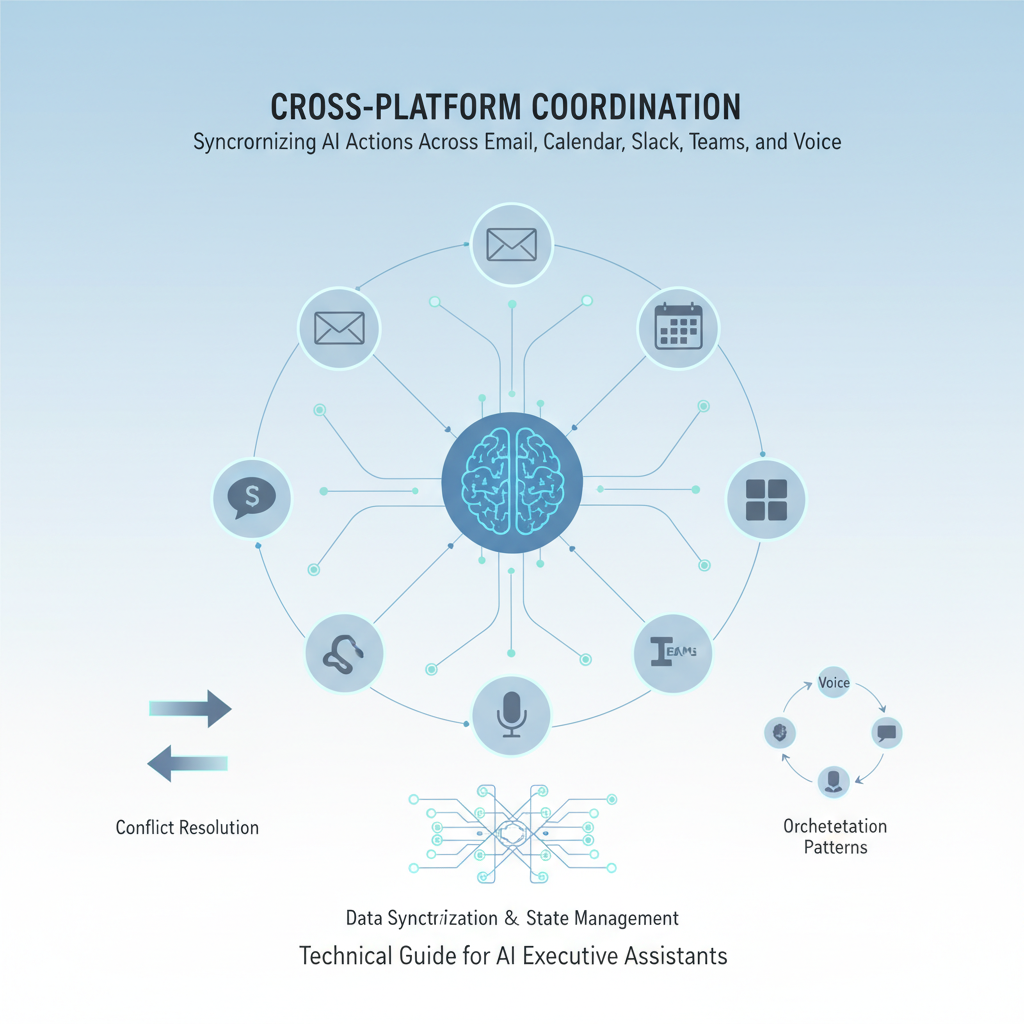
As an executive, you work across multiple platforms - email, calendar, Slack, Teams, voice calls. The problem? Information gets fragmented. A meeting scheduled in email doesn't appear in your calendar. A follow-up promised in a call never gets sent. An action item from Slack gets lost.
AI executive assistants solve this by coordinating actions across all your platforms automatically. Here's why it matters and how it works in practice.
Scenario 1: The Lost Follow-Up
- You promise in a phone call to send a contract by Friday
- The promise never makes it to your task list
- Friday comes, contract isn't sent
- Client follows up, you look unprofessional
Scenario 2: The Calendar Conflict
- You schedule a meeting via email
- Your assistant adds it to your calendar
- But the email confirmation goes to the wrong people
- Team members show up at different times
Scenario 3: The Broken Workflow
- Meeting ends, action items identified
- Notes exist in your voice transcript
- But no follow-up email sent
- No tasks created
- Action items forgotten
The Cost:
- Missed commitments: Broken promises, damaged relationships
- Wasted time: Re-explaining, re-coordinating, fixing mistakes
- Lost opportunities: Follow-ups that never happen, meetings that don't get scheduled
Example: Meeting Request to Confirmation
- Email arrives: "Can we schedule a Q4 review meeting?"
- AI coordinates:
- Checks your calendar for availability
- Proposes 3 time slots
- Queues email draft for your approval
- You approve: One click
- AI executes across platforms:
- Sends email with proposed times
- Creates calendar event (tentative)
- Posts in Slack: "Q4 review meeting proposed for [date]"
- Adds to your daily brief for tracking
- When confirmed:
- Confirms calendar event
- Sends email confirmation to all attendees
- Updates Slack with final details
- Removes from brief, adds to meeting prep queue
Result: One request handled across 4 platforms, zero manual work.
Use Case 1: After-Meeting Follow-Up
The Problem:
- Meeting ends, you have 5 action items
- Notes are in your voice transcript
- You're rushing to next meeting
- Follow-ups never get sent
How AI Coordinates:
- Meeting ends (detected from calendar)
- AI automatically:
- Transcribes meeting notes from voice recording
- Extracts action items ("John will send proposal by Friday")
- Creates tasks in your task manager
- Drafts follow-up email summarizing action items
- Queues email for your approval
- You review and approve (2 minutes)
- AI sends:
- Follow-up email to all attendees
- Slack summary in team channel
- Tasks assigned to responsible parties
Time Saved: 15-20 minutes per meeting. For 10 meetings/week = 2.5-3 hours saved.
Use Case 2: Email Thread to Meeting
The Problem:
- Long email thread about a project
- Everyone agrees: "We should discuss this"
- But no one schedules the meeting
- Discussion stalls
How AI Coordinates:
- AI detects: Email thread needs a meeting (analyzes sentiment, keywords)
- AI proposes: "I noticed this thread suggests a meeting. Should I schedule it?"
- You approve
- AI coordinates:
- Analyzes thread for meeting topic
- Checks everyone's calendar availability
- Proposes meeting time
- Creates calendar event
- Sends calendar invite via email
- Posts in relevant Slack channel
Result: Meeting scheduled automatically, no back-and-forth emails.
Use Case 3: Multi-Channel Communication
The Problem:
- You need to update your team about a decision
- Some team members use Slack, others email
- You send to one channel, forget the other
- Information fragmentation
How AI Coordinates:
- You say: "Update the team that we're moving forward with Project X"
- AI coordinates:
- Drafts message for Slack channel
- Drafts email for team members not on Slack
- Queues both for your approval
- You approve once
- AI sends:
- Slack message to #general
- Email to team distribution list
- Calendar update if relevant
Result: Everyone informed, one approval, zero manual work.
Manual Coordination Time:
- Per meeting: 10-15 minutes (schedule, confirm, send invites, update channels)
- Per follow-up: 5-10 minutes (draft email, create tasks, send updates)
- Per multi-channel update: 5-8 minutes (Slack, email, calendar)
With AI Coordination:
- Per meeting: 2-3 minutes (review and approve)
- Per follow-up: 1-2 minutes (review and approve)
- Per multi-channel update: 1 minute (review and approve)
Monthly Savings: 10-15 hours for executives with 20-30 meetings/month.
Common Errors Without Coordination:
- Calendar conflicts: Double-booked meetings
- Missing follow-ups: Promises made but not tracked
- Inconsistent information: Different details in email vs. Slack vs. calendar
- Lost action items: Items mentioned but never created as tasks
With AI Coordination:
- Conflict detection: AI checks all platforms before scheduling
- Automatic tracking: All promises converted to tasks
- Consistent information: Same details across all platforms
- Complete workflows: Action items automatically created and tracked
The Mental Overhead:
- Remembering to update multiple platforms
- Tracking what's been sent where
- Ensuring consistency across platforms
- Following up on promises
With AI Coordination:
- One approval queue: All actions in one place
- Automatic consistency: AI ensures same information everywhere
- Complete tracking: Nothing falls through cracks
- Peace of mind: You can focus on decisions, not coordination
Scenarios:
- Meeting requests in email → Calendar events created
- Calendar changes → Email notifications sent
- Meeting confirmations → Calendar updated, email sent
Example:
Email: "Can we meet next week?"
AI: Checks calendar, proposes times, creates event, sends confirmation email.
Scenarios:
- Meeting scheduled → Slack notification posted
- Meeting rescheduled → Slack updated, email sent
- Meeting reminders → Slack notification 15 minutes before
Example:
Meeting scheduled for tomorrow at 2pm.
AI: Posts in #team-calendar, sends reminder tomorrow at 1:45pm.
Scenarios:
- Action items in call → Tasks created, follow-up email drafted
- Promises made → Tasks created, reminders set
- Decisions made → Summary email drafted
Example:
Call: "I'll send the proposal by Friday."
AI: Creates task "Send proposal - Due Friday", drafts follow-up email, queues for approval.
Complete Workflow Example:
Input: Email thread about vendor contract
AI Coordinates:
- Analyzes thread, identifies need for meeting
- Checks calendars, proposes meeting time
- Creates calendar event
- Sends email invitation
- Posts in Slack #vendor-discussions
- Adds to daily brief for meeting prep
- After meeting: Transcribes, extracts actions, creates tasks, sends follow-up
Result: Complete workflow handled across 5 platforms with one approval.
Common Conflicts:
- Meeting scheduled in email but calendar shows different time
- Follow-up email sent with outdated information
- Slack message says one thing, email says another
- Calendar shows meeting, but email wasn't sent
The Cost:
- Confusion: Team members show up at wrong times
- Missed meetings: Calendar conflicts not detected
- Broken promises: Follow-ups sent with wrong information
- Reputation damage: Inconsistent communication
Before Scheduling:
- Checks all platforms for conflicts
- Verifies information consistency
- Detects double-bookings
- Proposes conflict-free times
During Updates:
- Updates all platforms simultaneously
- Ensures information consistency
- Detects and resolves conflicts automatically
- Notifies you if manual resolution needed
After Actions:
- Verifies all platforms updated
- Checks for inconsistencies
- Resolves conflicts automatically
- Maintains audit trail
The Challenge:
- 15-20 meetings per week
- Multiple email threads daily
- Team communication in Slack
- Voice calls with investors/clients
Without Coordination:
- 2-3 hours daily on coordination
- Frequent conflicts and missed follow-ups
- Information scattered across platforms
With AI Coordination:
- 20-30 minutes daily on approvals
- Zero conflicts (AI detects and prevents)
- All information synchronized automatically
- Time Saved: 1.5-2.5 hours daily
The Challenge:
- Coordinating across 3 teams
- Each team uses different tools (Slack, Teams, email)
- Multiple time zones
- Frequent schedule changes
Without Coordination:
- Constant back-and-forth to coordinate
- Information gets lost between platforms
- Team members miss updates
With AI Coordination:
- One approval for multi-platform updates
- All teams notified automatically
- Time zones handled automatically
- Schedule changes propagated to all platforms
- Time Saved: 1-1.5 hours daily
The Challenge:
- Frequent travel, time zone changes
- Meetings scheduled across time zones
- Follow-ups needed while traveling
- Coordination with remote team
Without Coordination:
- Time zone calculations manual
- Follow-ups delayed until return
- Coordination breaks down while traveling
With AI Coordination:
- Time zones handled automatically
- Follow-ups sent from anywhere
- Coordination continues seamlessly
- Time Saved: 30-45 minutes daily + reduced stress
1. Multi-Platform Integration
- Works with your existing tools (Gmail, Outlook, Calendar, Slack, Teams)
- No need to change your workflow
- Integrates with tools you already use
2. Automatic Coordination
- Detects when coordination is needed
- Proposes coordinated actions
- Executes across platforms after approval
3. Conflict Prevention
- Checks for conflicts before scheduling
- Detects inconsistencies across platforms
- Resolves conflicts automatically when possible
4. Complete Workflows
- Handles entire workflows, not just single actions
- Coordinates across multiple steps
- Ensures nothing falls through cracks
5. Approval-First Model
- All actions queued for your approval
- You control what gets sent
- Full audit trail of all coordination
Q: What if I only use email and calendar?
A: AI coordinates between email and calendar automatically. When you add Slack or Teams later, coordination extends to those platforms.
Q: What if platforms have conflicting information?
A: AI detects conflicts and proposes resolutions. You choose how to resolve, and AI updates all platforms consistently.
Q: Can I customize how coordination works?
A: Yes. You can set preferences for which platforms to coordinate, when to coordinate, and how to handle conflicts.
Q: What if I want to coordinate manually sometimes?
A: You're always in control. AI proposes coordinated actions, but you approve each one. You can also coordinate manually when needed.
Q: How does this work with my existing workflows?
A: AI works within your existing tools and workflows. No need to change how you work - AI enhances what you already do.
If you're spending time manually coordinating across platforms, an AI executive assistant can help. Look for solutions that:
- Integrate with your tools: Gmail, Outlook, Calendar, Slack, Teams
- Coordinate automatically: Detect and propose coordinated actions
- Prevent conflicts: Check for conflicts before scheduling
- Maintain consistency: Ensure same information across platforms
- Give you control: Approval-first model, you decide what gets sent
The goal isn't to replace your judgment - it's to eliminate the manual work of coordination so you can focus on the decisions that matter.
Alyna coordinates actions across email, calendar, Slack, Teams, and voice automatically. Get seamless workflows, conflict prevention, and complete coordination - all with your approval.