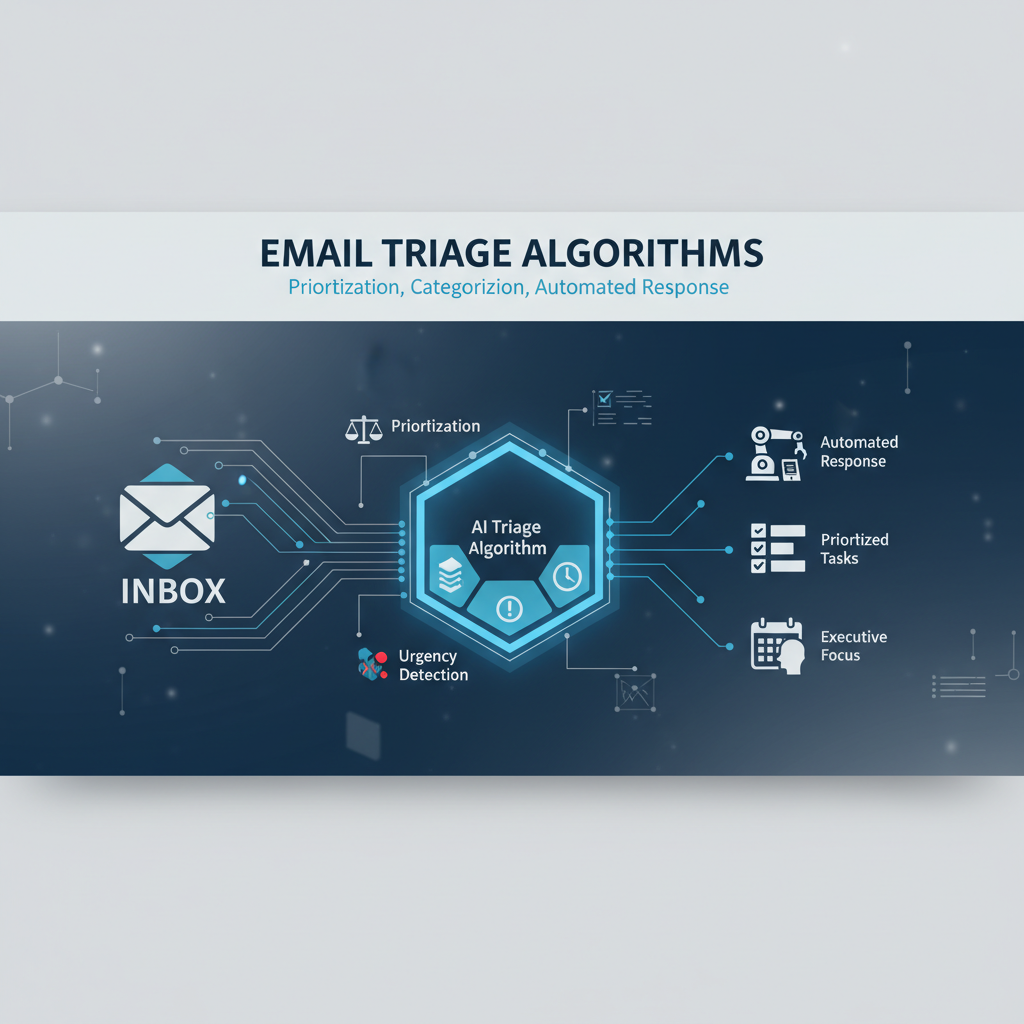
Executive inboxes receive 100-200 emails daily. The problem isn't just volume - it's identifying which 10-20 emails actually need your attention versus the 80-90% that are informational, routine, or can be handled automatically. Without intelligent triage, you waste 30-45 minutes daily sorting through emails to find what matters.
AI executive assistants solve this by automatically prioritizing, categorizing, and triaging your inbox. Here's how it works and why it matters for busy executives.
Most executives receive far more emails than they can personally process. The average executive inbox contains 100-200 emails daily, but only 10-20 require direct attention. The rest are newsletters, notifications, routine updates, or emails that can be handled with standard responses.
The challenge is identifying which emails are urgent and important versus which can be handled later or automatically. Without triage, you spend 30-45 minutes daily just sorting through your inbox to find what needs attention. Important emails get buried under routine ones. Urgent requests get delayed while you process less critical messages.
This triage problem compounds throughout the day. Every time you check your email, you're starting from scratch - sorting through new messages, trying to remember what you've already seen, and deciding what to prioritize. The cognitive load is significant, and it's easy to miss important emails or delay urgent responses.
AI assistants automatically analyze every email as it arrives and assign a priority score based on multiple factors. The sender's importance, the email's urgency indicators, the topic's relevance to your current work, and the email's recency all contribute to the priority score. Emails are then sorted by priority, with the most important ones appearing first.
The AI also categorizes emails automatically. Action-required emails are separated from informational ones. Meeting requests are identified and handled differently than general inquiries. Follow-ups on previous conversations are grouped together. Newsletters and notifications are filtered to separate folders.
This automatic triage means you see your most important emails first, without manually sorting through everything. The AI learns your patterns over time - which senders are important to you, which topics are urgent, which emails you typically respond to quickly versus which you handle later.
Priority scoring combines multiple factors to determine how urgently an email needs your attention. Emails from your boss or key clients score higher than emails from unknown senders. Emails with urgency keywords like "asap" or "deadline" score higher than routine updates. Emails related to your current priorities score higher than general inquiries.
The AI also considers context. An email that's part of an active thread you've been engaging with scores higher than a new conversation. An email that references a meeting you have today scores higher than one about next month's planning. This contextual understanding makes prioritization more accurate.
The result is an inbox sorted by actual importance, not just chronological order. Your most critical emails appear at the top, routine emails are lower, and newsletters are filtered out entirely. You can focus on what matters without wading through everything else.
Beyond prioritization, AI categorizes emails to help you process them more efficiently. Action-required emails are grouped together so you can handle them in batch. Informational emails are separated so you can review them when you have time. Meeting requests are identified and can be handled through your calendar workflow.
This categorization also enables automation. Newsletters can be automatically archived. Routine notifications can be summarized in your daily brief. Meeting requests can trigger your meeting scheduling workflow. The categorization makes it possible to handle different email types appropriately without manual sorting.
The AI learns your email patterns to improve categorization over time. If you always respond quickly to emails from certain contacts, those get categorized as high-priority. If you typically archive certain types of newsletters, those get categorized for automatic archiving. The system adapts to your preferences.
For routine emails that don't require your personal attention, AI can draft responses automatically. Common questions get standard answers. Meeting confirmations get templated responses. Status updates get acknowledgment replies. All of these are queued for your approval, so you maintain control while saving time.
The AI learns your communication style to draft responses that sound like you. It analyzes your previous emails to understand your tone, formality level, and typical response patterns. Drafted responses match your style while handling routine communications automatically.
For emails that need your personal touch, AI still helps by providing context and suggested responses. It summarizes long email threads, highlights key points, and suggests reply options. You can approve, edit, or write your own response, but you have the context you need to respond quickly.
Email threads can be complex, with multiple participants, long histories, and important context buried in earlier messages. AI analyzes entire threads to understand the full context, not just the latest message. This helps prioritize threads that need your attention versus those that are just informational updates.
Thread analysis also enables smarter responses. AI understands what's been discussed, what decisions have been made, and what action items exist. When drafting a response, AI references the thread history appropriately and ensures consistency with previous communications.
This thread awareness prevents the common problem of responding to an email without understanding the full context. AI surfaces the key points from the thread history, highlights any action items or decisions, and ensures you have the complete picture before responding.
AI learns which senders are important to you based on your behavior. If you always respond quickly to emails from your direct reports, those senders get higher priority scores. If you typically archive emails from certain newsletters, those get lower priority. This learning makes triage more accurate over time.
The AI also tracks your communication patterns. If you typically respond to certain types of emails in the morning versus afternoon, AI can prioritize accordingly. If you have standing meetings with certain people, emails from them before those meetings get higher priority. This pattern recognition makes the system more useful over time.
This learning happens automatically based on your behavior. You don't need to manually configure sender importance or email categories. The AI observes how you handle emails and adapts its prioritization and categorization accordingly.
The time savings from automated email triage are significant. Instead of spending 30-45 minutes daily sorting through your inbox, you spend 5-10 minutes reviewing pre-prioritized emails. Important emails are at the top, routine emails are handled automatically, and newsletters are filtered out.
This time savings compounds throughout the day. Every email check is more efficient because your inbox is already sorted by importance. You're not starting from scratch each time - the AI has done the triage work for you. This reduces cognitive load and makes email management less stressful.
The quality improvements are equally important. Important emails don't get buried under routine ones. Urgent requests are identified immediately. Nothing falls through the cracks because everything is categorized and tracked. Your response times improve because you're seeing critical emails first.
When evaluating AI assistants for email triage, look for solutions that prioritize intelligently, not just sort chronologically. The assistant should consider sender importance, email urgency, topic relevance, and context when assigning priorities. It should learn your patterns over time to improve accuracy.
Ensure the assistant categorizes emails meaningfully. Action-required emails should be separated from informational ones. Meeting requests should be handled differently than general inquiries. The categorization should enable automation while maintaining your control.
Verify that the assistant handles threads intelligently. It should understand thread context, surface key points from thread history, and ensure responses are consistent with previous communications. Thread awareness is critical for accurate triage and helpful responses.
Finally, confirm that you maintain control. All automated actions should be queued for your approval. You should be able to override priorities, adjust categories, and customize automation rules. The goal is intelligent assistance, not autonomous email management.
If you're spending 30+ minutes daily on email triage, automated prioritization can help. Start by connecting your email account and allowing the AI to analyze your inbox patterns. The AI will begin prioritizing and categorizing emails automatically.
Review the AI's prioritization and categorization for the first week, providing feedback when it's incorrect. The AI learns from your corrections and improves accuracy over time. Soon, your inbox will be automatically sorted by importance, with routine emails handled automatically and important emails at the top.
The goal is to eliminate the manual work of email triage while ensuring important emails get the attention they deserve. Good email triage makes you more efficient without making you less responsive to what matters.
Alyna automatically prioritizes and categorizes your email inbox, saving 30-45 minutes daily. Get your most important emails first, handle routine emails automatically, and maintain full control through approval-based workflows.