One of the biggest concerns executives have about AI assistants is losing control. What if the AI sends the wrong email? What if it makes a scheduling mistake? Approval-first workflows solve this by ensuring nothing happens without your explicit sign-off. This control is especially important for security and compliance in enterprise environments.
Many executives hesitate to use AI assistants because they worry about autonomous actions where AI makes decisions without oversight, communication errors where messages don't reflect your voice or intent, scheduling mistakes that book meetings at wrong times or with wrong people, lack of visibility into what the AI is doing, and compliance risks from actions taken without proper audit trails.
These concerns are valid - executives need control over all communications and decisions. The solution isn't to avoid AI assistants, but to use ones that maintain your control through approval-based workflows.
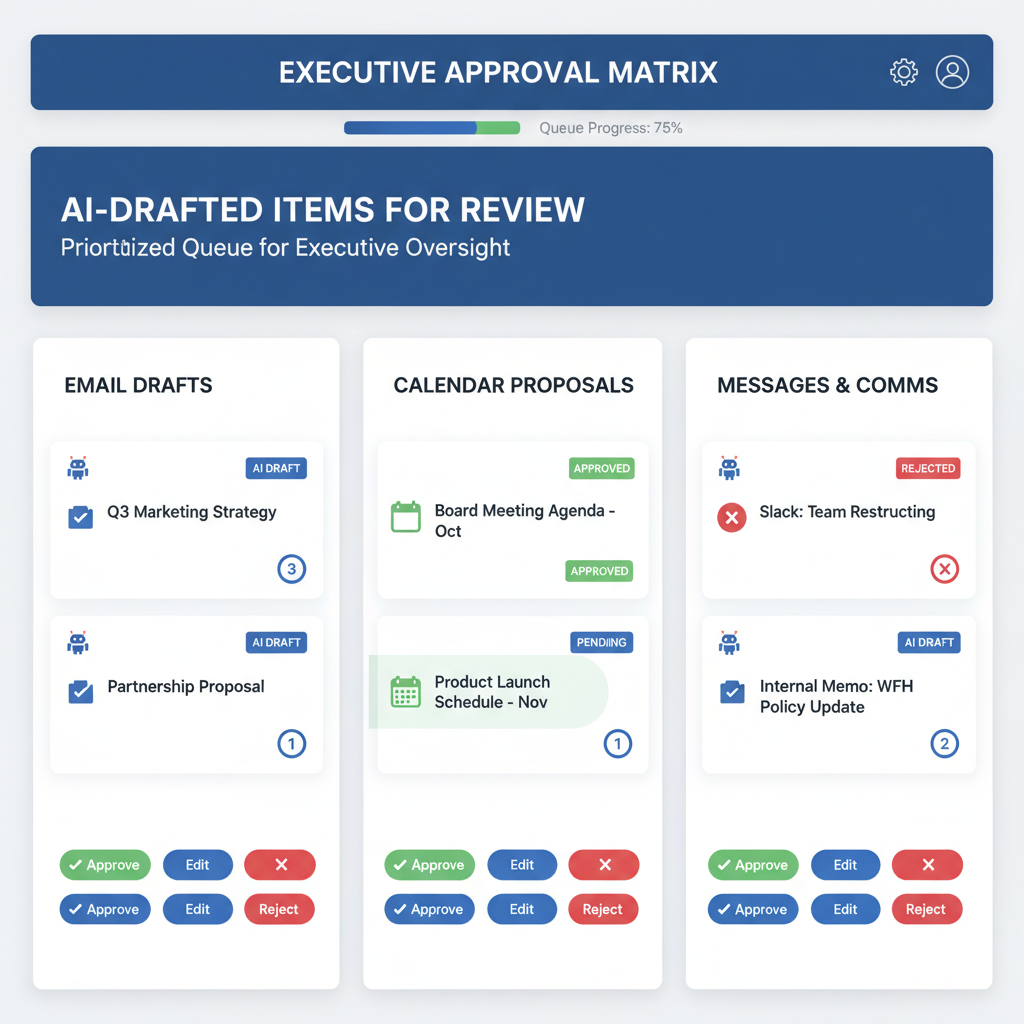
Approval-first AI assistants operate on a simple principle: nothing sends without your approval. The workflow is straightforward. AI reviews context and drafts responses, proposals, or actions. All drafts appear in a single approval dashboard where you see exactly what will be sent with full context. You can approve as-is, edit before sending, or reject. Only approved actions are sent, and full receipts and logs of all communications are maintained.
This gives you the time savings of automation with the control you need. You're not automating away your judgment - you're automating away the manual work of drafting, scheduling, and coordinating.
Approval-first assistants queue all actions for your review before execution. Email replies include drafted email responses with full thread context, suggested replies to customer inquiries, and follow-up messages from meetings. All are visible before sending.
Calendar actions include meeting scheduling proposals, reschedule requests, calendar conflict resolutions, and all time slots visible before booking. This ensures you never have surprises in your calendar.
Slack and Teams messages include drafted replies to team messages, channel updates and announcements, thread summaries and responses, all visible before posting. This maintains your control over team communications.
Follow-ups include action items from meetings, cross-channel follow-up messages, and reminder notifications, all visible before sending. This ensures nothing gets sent without your review.
A single dashboard shows all queued items waiting for your approval, full context including email threads, meeting details, and conversation history, suggested actions showing what the AI proposes to send, one-click approval to approve, edit, or reject with a single action, and an audit trail with complete history of all approved and rejected items.
This centralized dashboard eliminates the need to check multiple platforms to see what's pending. Everything is in one place, making approval efficient even with many queued items.
Here's how approval workflows work in practice. You receive an email thread about a vendor contract extension. Alyna reviews the 15-message thread and summarizes: "Vendor requesting contract extension. Terms unchanged. Previous approval on file." It drafts a reply: "Approved. Please proceed with the extension under existing terms." The reply is queued for approval in your dashboard. This is part of how AI assistants handle email management while maintaining your control.
Your review shows the full email thread context, the drafted response, and confirmation that terms are indeed unchanged. You approve with one click. The email is sent automatically with full receipt logged in the audit trail, and the vendor receives the approved response.
Time saved: 8-10 minutes of reading and drafting, while maintaining full control. This is the value of approval-first workflows - time savings with complete control.
Executives using approval-first assistants report full control where nothing sends without explicit approval, time savings of 60-120 minutes daily from automated drafting, reduced cognitive load with one queue for all decisions, better decisions from having full context visible before approving, compliance through complete audit trails for all communications, and peace of mind knowing there are no surprises and everything is visible.
These benefits make approval-first workflows essential for executive use of AI assistants. The combination of time savings and control is what makes these assistants valuable for busy executives.
Approval-first assistants maintain comprehensive audit trails. Full receipts log every sent message. Approval history shows who approved what and when. Edit history tracks all changes made before sending. Context logs explain why each action was proposed. Rejection logs record items that were rejected and why.
This provides complete transparency and compliance for executive communications. You can always see what was sent, when, why, and who approved it. This is essential for compliance with regulations and internal policies.
If you want the time savings of AI automation with the control you need, look for assistants that offer approval-based workflows where nothing sends without approval, provide a single dashboard for all queued items, maintain full audit trails and receipts, support editing before approval, and integrate with your existing tools.
The goal is to automate routine work while maintaining complete control over all communications and decisions. Good approval workflows give you the time savings of automation with the control you need for important work.
Alyna is an AI executive assistant with approval-first workflows. Nothing sends without your approval, with full context, edit capability, and complete audit trails for all communications.