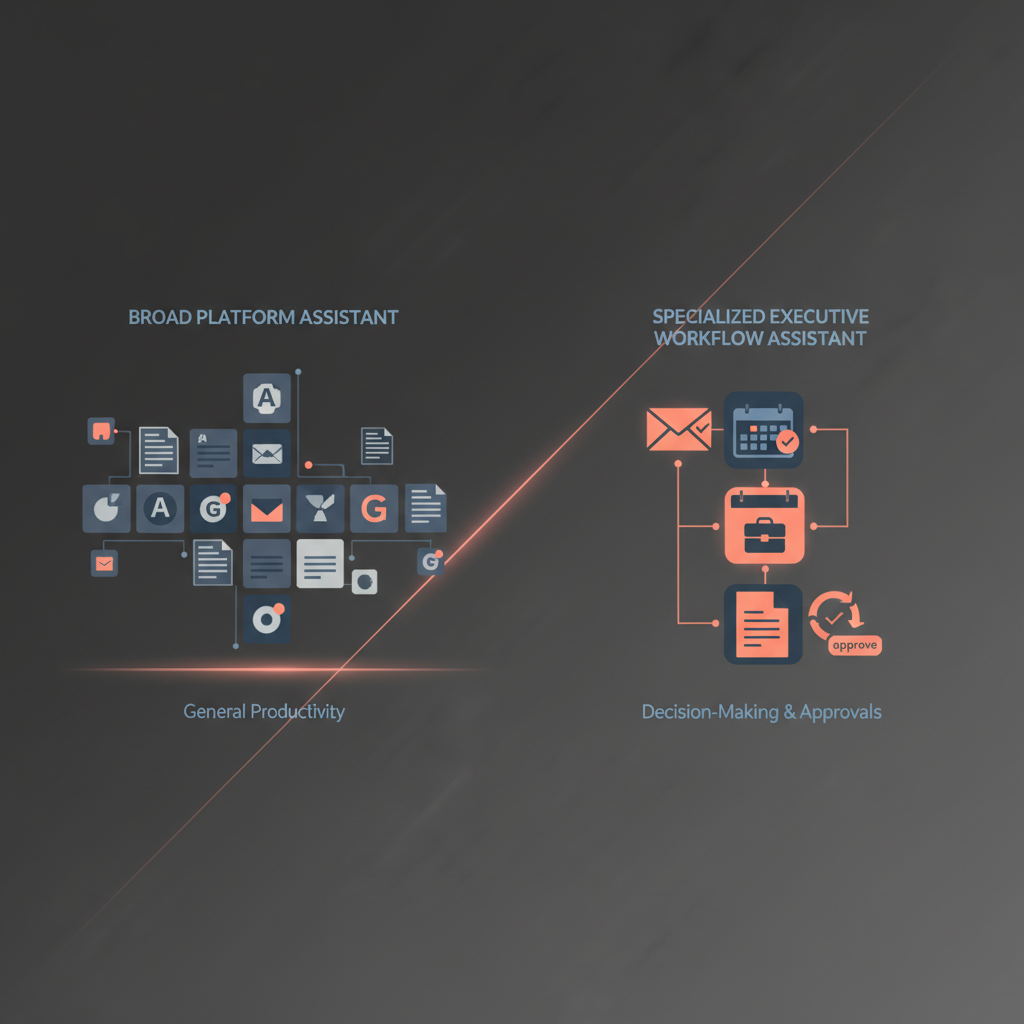
Most enterprise buyers should not ask whether Microsoft Copilot is "better" than an AI executive assistant. They should ask whether they are buying a broad platform assistant or a specialized executive workflow assistant. Microsoft Copilot is designed to help knowledge workers across Microsoft 365 with drafting, summarizing, searching, and increasingly agentic tasks inside apps like Outlook, Teams, Word, and Excel. A true AI executive assistant is a narrower but more operational category: it reduces front-office coordination load across inbox, calendar, meeting prep, follow-through, and approvals. Those are different jobs. Microsoft's own 2025 Work Trend Index says the future belongs to human-agent teams and that leaders must decide the right human-agent ratio by task. That is the right buying lens here: match the system to the operating role you need, not to the most impressive demo.
If you are evaluating executive-specific workflows, it helps to compare this piece with Alyna's AI executive assistant overview, AI Chief of Staff page, and the deeper guidance on why approval-first AI assistants win in 2026.
The cleanest way to understand this market is to stop comparing brand names and start comparing operating models.
| Buyer question | Microsoft Copilot | Specialized AI executive assistant |
|---|
| What is the core job? | Raise productivity across Microsoft 365 surfaces | Reduce executive coordination load across recurring front-office workflows |
| Primary user | Broad employee population | Executive, executive office, or tightly scoped front-office team |
| Best at | Drafting, summarizing, search, internal context, in-app assistance | Triage, briefing, follow-through, coordination, and approval-first execution |
| System shape | Platform layer embedded across existing apps | Workflow layer organized around the executive's operating rhythm |
| Value model | Wide rollout, general productivity lift | Narrower rollout, deeper leverage for high-cost executive time |
| Risk model | App-by-app assistance with product-specific controls | Explicit queue, approvals, escalation rules, and audit trail for consequential actions |
| Success metric | More employees use AI productively | Executive office moves faster without losing judgment or control |
| Common buying mistake | Expecting it to behave like a dedicated front-office operator | Expecting it to replace company-wide productivity tooling |
That distinction matters because "assistant" is doing too much work in enterprise AI buying. A platform assistant helps inside software. A workflow assistant helps run a role.
Microsoft deserves credit for making Copilot more useful inside the applications where work already happens. In its March 2026 Outlook update, Microsoft says Copilot can draft and refine emails in place, ask clarifying questions on tone and goal, handle RSVP preferences, and help schedule meetings directly inside Outlook and Copilot Chat (Microsoft Outlook Blog, 2026). For many enterprises, that is exactly the right starting point.
Copilot is strongest when the buying goal looks like this:
- Give a large employee population a common AI layer inside familiar Microsoft tools.
- Improve document, email, meeting, and search productivity without introducing a new workflow surface for every use case.
- Keep most work grounded in Microsoft identity, permissions, and admin controls.
- Standardize on one enterprise AI platform before adding narrower role-specific systems.
This is why Copilot often wins the first budget line item. It maps to existing Microsoft spend, existing admin practices, and broad-based productivity language that CIOs and IT teams understand.
Microsoft's broader product story also points in this direction. The 2025 Work Trend Index frames the market around "intelligence on tap," human-agent teams, enterprise search, notebooks, and organization-wide digital labor. That is platform logic. It is about equipping the company, not redesigning one executive office role.
The boundary is not that Copilot is weak. The boundary is that it is not primarily positioned as a dedicated executive front-office operating layer.
You can see this even in Microsoft's own support documentation. Automatic rescheduling with Copilot is useful, but it is intentionally bounded: it applies to personal appointments and 1:1 meetings, not broader multi-party executive coordination. Microsoft also documents several limits, including no support for events longer than five hours, secondary or shared calendars, and meetings that later add more than one attendee (Microsoft Support). Those constraints are reasonable for a platform feature. They also illustrate the larger point: platform assistants optimize for common patterns, not for the messier coordination logic of the executive office.
The same issue appears in email. Copilot in Outlook is increasingly capable, and Microsoft documents a built-in review loop before the user sends the message (Microsoft Support). But drafting inside Outlook is still different from running a single executive approval queue that covers external replies, meeting follow-ups, calendar proposals, stakeholder briefs, and escalation rules in one operating system.
This is where many enterprise buyers need to slow down and ask a more precise question. Strong in-app AI does not automatically answer whether their current Copilot deployment also provides:
- executive prioritization across channels
- consolidated daily briefs
- cross-channel follow-through
- explicit approval routing for consequential actions
- durable executive workflow memory
- a role-shaped front-office operating model
Depending on how the organization has configured Microsoft 365, additional tooling, process design, or custom workflow work may still be required. The buyer question is not "Can Copilot do useful AI work?" It clearly can. The buyer question is whether the current Microsoft setup already covers the executive-office workflow layer they expect.
A specialized AI executive assistant is not trying to be the universal AI layer for your company. It is trying to become the front-office workflow layer for a small number of high-leverage operators.
That usually means five things:
- Role-centered workflow design. The system is built around inbox triage, meeting prep, scheduling trade-offs, follow-ups, and executive review windows rather than around generic app assistance.
- Approval-first action design. The assistant can draft, propose, and package work, but external execution waits for review. That matters for executive buyers who care more about governance than raw autonomy.
- Cross-surface coordination. Real executive work is fragmented across email, calendar, docs, messaging, and web research. A specialized assistant is judged on whether it can stitch those together into one queue.
- Persistent context. The system improves when it learns preferences, stakeholder patterns, and recurring operating rules rather than treating every interaction as isolated.
- Executive-fit outputs. The output is not merely "a draft." It is "the three things I need to know before this meeting" or "the two reply options plus what changed on the calendar."
This is much closer to what OpenAI's practical guide to building agents describes as systems that independently manage workflow execution with tools and guardrails, rather than simple chat or drafting utilities. It is also closer to Anthropic's distinction between predictable workflows and agents that dynamically direct tools. The executive assistant category lives in that middle zone: high-context workflow preparation, but with strong boundaries around consequential action.
If that is the problem you are trying to solve, read Alyna's explanation of the AI Chief of Staff category and the broader market scan in Best AI Executive Assistants 2026.
Most bad purchases happen because the buyer never makes the category decision explicit. Use this framework instead.
| Question | If your answer is mostly "yes" | Better fit |
|---|
| Do you need one AI standard for many employees? | You want broad rollout across Microsoft apps and many roles | Copilot |
| Is most of the work internal to Microsoft 365? | Documents, meetings, internal email, and enterprise search dominate | Copilot |
| Is the real pain executive coordination, not general productivity? | The bottleneck is triage, follow-through, and front-office drag | Specialized AI executive assistant |
| Do actions need explicit approval before they create commitments? | Outbound messages, scheduling, and stakeholder coordination require review | Specialized AI executive assistant |
| Will value come from one executive office saving high-cost time, not company-wide usage? | A small number of executives generate disproportionate leverage | Specialized AI executive assistant |
Buyers sometimes try to collapse these into a single answer. That is how a broad platform purchase can end up underserving the executive layer, or a specialized assistant gets unfairly judged for not being a company-wide productivity standard.
Before concluding that Copilot already solves the executive-office use case, buyers should ask:
- Are our core executive workflows mostly in-app assistance problems or cross-workflow orchestration problems?
- Do we need one review queue across drafts, scheduling proposals, briefs, and follow-through?
- Are approvals and escalation rules handled explicitly today, or only informally by users in separate Microsoft surfaces?
- Is our requirement mainly Microsoft productivity uplift, or a role-specific operating model for the executive office?
- If we stay inside Microsoft alone, what still has to be stitched together by humans, process, or custom development?
Those questions keep the comparison fair. They do not assume a Copilot limitation that Microsoft has not claimed; they test whether the buyer's own operating requirement is broader than the current deployment.
Copilot is often enough when your executive team's need is still mostly productivity inside Microsoft, not operating-system support around the executive role.
Choose Copilot first if:
- your organization already standardizes heavily on Microsoft 365
- the initial buying goal is broad enablement, not executive-office redesign
- the main use cases are document creation, meeting recap, inbox drafting, and enterprise search
- your executives mostly need better assistance inside existing apps, not a new queue or workflow layer
- IT wants centralized deployment, entitlement, and governance through Microsoft controls
That path is rational. For many enterprises, Copilot should be the first layer.
It is also worth saying something unfashionable: a specialized executive assistant is not automatically better just because it is more role-specific. If your executives spend most of their pain budget inside Teams meetings, Word documents, and Outlook threads, and they do not want a new operating surface, platform assistance may be all they need.
A specialized executive assistant starts to win when the problem is not "help me inside Outlook" but "help me run the office of the executive."
That usually shows up in patterns like these:
- the executive loses time across multiple systems, not one
- low-value coordination keeps leaking into high-value decision time
- the team needs morning briefs, meeting prep, follow-up drafting, and calendar proposals in one place
- buyers care about approval-first controls and auditability for external actions
- there is already fatigue from stitching together point solutions for email, calendar, notes, and task follow-through
This is why specialized assistants are increasingly framed less as "AI app" and more as AI executive assistant or AI Chief of Staff categories. The promise is narrower than Copilot's, but deeper: reduce executive coordination load without handing away executive judgment.
That is also where pieces like approval workflows for executives and AI assistant vs human executive assistant become more useful than generic product matrices. They speak to the operating model, not just the feature list.
In many companies, the smartest answer is not Copilot or specialized executive assistant. It is:
- Copilot for broad employee productivity
- specialized AI executive assistant for the executive office
Those are complementary layers, not redundant ones.
| Layer | Best use |
|---|
| Microsoft Copilot | Company-wide productivity, drafting, search, document and meeting assistance inside Microsoft 365 |
| Specialized AI executive assistant | Executive triage, briefing, coordination, approvals, and role-specific front-office workflows |
This is consistent with Microsoft's own human-agent framing. The right human-agent ratio is task-specific, not ideological. A company can standardize on Copilot broadly while still deciding that the executive office needs a more specialized workflow layer for higher-consequence coordination.
There are two ways buyers can get this wrong.
Do not assume Copilot alone solves the executive-office problem if your executives need:
- one consolidated review queue
- cross-platform coordination beyond Microsoft surfaces
- explicit approval routing for consequential outbound actions
- durable front-office operating rules rather than app-local assistance
In those cases, Copilot may still help substantially, but buyers should verify what additional workflow, process, or tooling layers are still needed.
Do not buy a specialized executive assistant first if:
- your executives do not yet have a disciplined approval habit
- the team's pain is mostly document and meeting productivity rather than coordination
- you are really solving for broad employee enablement, not a front-office operating role
- there is no owner for workflow tuning, escalation rules, and review SLAs
A specialized assistant is powerful when the operating model is ready for it. Without that, it can feel like an extra layer instead of a leverage layer.
Microsoft Copilot is a broad platform assistant. A true AI executive assistant is a specialized workflow assistant. Enterprise buyers should not treat them as interchangeable.
If your question is "How do we give many employees AI help inside Microsoft 365?" Copilot is the natural answer. If your question is "How do we reduce executive coordination load across inbox, calendar, prep, follow-through, and approvals without losing control?" you are shopping for a different category.
That is the important decision. Not which product has more AI features, but which operating role you actually need the system to play.
Not in the strict category sense used in this article. Copilot is a broad platform assistant embedded across Microsoft 365. It can absolutely help executives, especially in Outlook, Teams, Word, and enterprise search, but that is different from a purpose-built executive workflow layer organized around triage, briefing, coordination, and approvals.
Sometimes, especially when the executive need is mostly in-app productivity inside Microsoft and the office does not want a separate workflow surface. If the real need is executive-office workflow orchestration, persistent context, and approval-first external action, buyers should test carefully whether Copilot alone covers that requirement or whether a specialized assistant is the better fit.
Buy both when the company wants a standard productivity layer for the workforce and a deeper role-specific layer for a small number of executives or executive-office operators. That is often the most realistic enterprise architecture.
The biggest mistake is confusing a broad AI productivity platform with a specialized executive workflow system. When those categories are mixed together, buyers either overpay for breadth they do not need or underbuy for the executive role they are actually trying to support.
Alyna is an approval-first AI executive assistant built for executive workflows, not just generic drafting. Explore the AI executive assistant and AI Chief of Staff pages to see the role-specific model in practice.