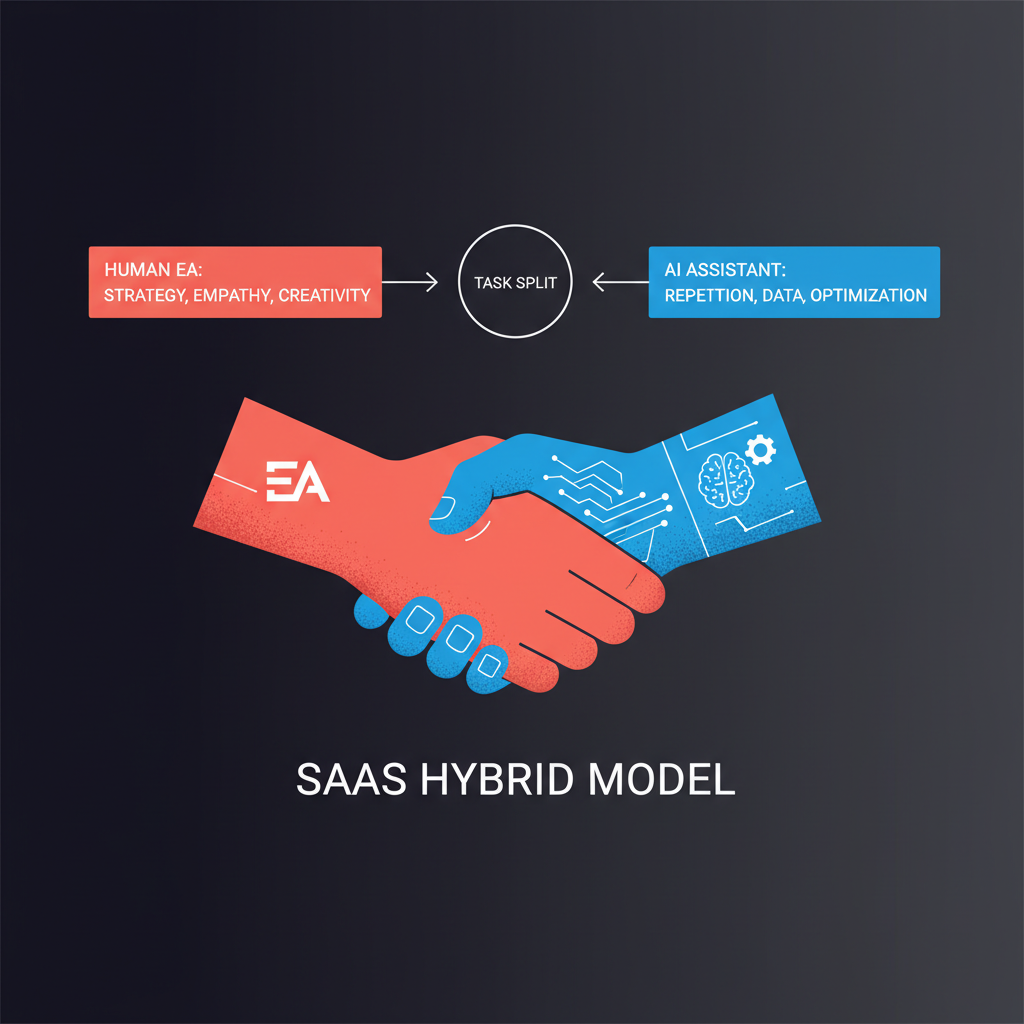
The strongest EA setups in 2026 are usually not "human only" or "AI only." They are hybrid operating models where the AI handles fast, repetitive preparation work, the human EA owns judgment and relationship management, and the executive keeps the final say on consequential outputs. This page is intentionally for teams that already have a human EA and need a concrete operating model for adding AI without creating duplicate work, unclear handoffs, or silent risk. That design matches the broader market reality: AI adoption is accelerating, but organizations still need role redesign, training, and human oversight to turn experiments into sustainable value (Microsoft Work Trend Index 2024, Deloitte State of Generative AI Q4 2024, Prosci on AI adoption).
The mistake is assuming the hybrid model happens automatically. It does not. If you do not define who owns triage, who edits what, when the EA overrides the AI, and what still requires executive review, you get duplicated work and silent risk instead of leverage. For adjacent reading, see AI vs human executive assistant, how to roll out an AI executive assistant to your team, and approval workflows for executives.
Let the AI do first-pass coordination and information shaping; let the human EA do judgment, prioritization, and relationship-sensitive execution.
That is the core split. Everything else is implementation detail.
Current workplace research points in the same direction:
- Microsoft reports workers are already using AI to save time, manage workload, and handle communication-heavy work, while leaders still need clearer operating models and training to scale usage well (Microsoft Work Trend Index 2024).
- OECD highlights both the upside of workplace AI and the need for transparency, worker consultation, and human oversight when AI affects autonomy, privacy, or accountability (OECD: Using AI in the Workplace).
- Prosci shows AI adoption barriers are usually human, not purely technical: training gaps, weak sponsorship, trust issues, and unclear workflow change (Prosci on AI adoption).
For executive support, that translates into a practical truth: the AI is best at volume and structure; the human EA is best at context and consequence.
Do not split by tool. Split by risk, ambiguity, and relationship impact.
Examples:
- Inbox triage
- Meeting brief assembly
- Scheduling proposals
- Draft follow-ups from notes or action items
- Research summaries with cited sources
Examples:
- External emails that need polish
- Partner follow-ups where tone matters
- Travel planning with preferences and trade-offs
- Recurring stakeholder updates
- Multi-step calendar trade-offs
Examples:
- Board and investor communications
- Personnel matters
- Reputation-sensitive responses
- Delicate stakeholder conflict
- Anything involving legal, policy, or confidentiality judgment
That division keeps the AI in the zone where speed helps and keeps humans where judgment matters most.
Use this as a starting operating model:
| Workflow | AI assistant role | Human EA role | Executive role |
|---|
| Inbox triage | Summarize threads, label urgency, suggest draft responses | Re-rank ambiguous threads, catch politics or subtext | Review only consequential items |
| Low-stakes outbound email | Produce first draft from context | Spot-check tone or brand voice if needed | Approve if external |
| High-stakes outbound email | Draft options, summarize prior context, suggest talking points | Rewrite for nuance, sequence, and stakeholder context | Approve final send |
| Meeting prep | Build brief: participants, history, open loops, agenda risks | Add relationship context and what is not in the docs | Use brief to steer the meeting |
| Calendar ops | Propose slots, detect conflicts, suggest reschedules | Decide trade-offs, buffers, and meeting importance | Approve major changes |
| Travel planning | Build itinerary options and alternatives | Choose based on preferences, risk, and executive energy | Approve trip decisions |
| Research | Gather and summarize source material | Validate sources, add judgment and recommendation | Decide direction |
| Follow-ups | Turn notes into draft actions and messages | Prioritize and personalize | Approve important sends |
| Stakeholder management | Surface history and reminders | Own the relationship strategy | Make the call on exceptions |
If the work is structured but not final, AI can usually lead. If the work could change how a person feels, reacts, or responds, a human should stay visibly in the loop.
Most teams should choose one of these patterns and make it explicit.
Use this for low-risk, high-volume work:
- internal updates
- scheduling proposals
- routine summaries
- low-stakes drafts
This keeps the EA out of unnecessary review loops. It works best when the executive is willing to clear a moderate volume of queue items directly.
Use this for nuanced but common work:
- important customer follow-ups
- partner outreach
- travel and calendar judgment
- leadership communications that need polish
This is the best default for most hybrid teams because the EA acts as the first layer of judgment. The executive sees a cleaner, more reliable queue.
Use this for sensitive or bespoke work:
- investor notes
- board prep
- personnel communication
- reputation-sensitive messaging
Here the EA owns the drafting logic and the AI supports with context gathering, summarization, versioning, or checklisting. The AI is assistive, not leading.
A hybrid model only works if the human EA is actually freed up to do higher-value work. If the EA still spends hours manually collecting context, summarizing threads, and rewriting routine drafts from scratch, the model is not hybrid. It is just "AI on paper."
The EA should spend less time on:
- manual inbox sorting
- first-pass meeting packets
- repeated scheduling back-and-forth
- repetitive follow-up drafting
- document summarization that does not require judgment
The EA should spend more time on:
- stakeholder mapping
- executive prioritization
- tone management
- exception handling
- relationship continuity
- anticipating issues before they become problems
That is the actual job redesign.
The hybrid model gets better when it runs on a visible cadence.
- AI prepares the morning brief
- EA reviews or annotates if needed
- Executive reads one consolidated brief
- Queue is reviewed at one or two fixed times
- Review what the AI drafted that the EA rewrote heavily
- Identify recurring failure modes
- Update workflow rules or prompting guidance
- Reconfirm which stakeholders and scenarios require human-first handling
- Check whether the EA has moved up-stack into judgment work
- Measure whether triage, scheduling, or prep time is down
- Remove workflows that create more noise than value
- Expand only after quality is stable
This is where approval-first tooling matters. One queue, one audit trail, and one visible handoff path reduce confusion. If your AI actions are invisible, the human EA ends up doing detective work instead of assistant work.
Track a few operational metrics, not vanity metrics:
| Metric | What it tells you |
|---|
| Queue turnaround time | Whether review is fast enough to be useful |
| Draft acceptance rate | Whether AI is saving effort or creating rewrite work |
| Heavy-edit rate by workflow | Which tasks still need human-first ownership |
| Missed-context incidents | Whether the AI is missing relationship or political nuance |
| Executive interruptions avoided | Whether the EA + AI layer is actually protecting focus |
| Escalation volume | Whether the boundary rules are clear |
A healthy hybrid model does not maximize AI output. It maximizes clean, reviewable leverage.
This is the most common failure. The AI drafts, then the EA recreates it from scratch, then the executive still reworks it. If that happens repeatedly, you do not have leverage. You have an expensive detour.
If the executive cannot tell whether a message is AI-drafted, EA-polished, or still unreviewed, quality control breaks down. Ownership of the final draft must be explicit.
OECD and NIST both point to the need for clear boundaries, human oversight, and contestability in workplace AI. In executive support terms, that means the AI should escalate on ambiguity rather than confidently improvising through sensitive situations (OECD: Using AI in the Workplace, NIST AI RMF: Generative AI Profile).
A hybrid model should reduce low-value review, not flood the executive with more queue items. If that is happening, move more medium-risk review to the EA before it reaches the executive.
Even in a mature setup, keep these human-led:
- Personnel and performance conversations
- Sensitive stakeholder diplomacy
- Strategy-defining external messages
- Judgment calls where trade-offs are political, not procedural
- Final approval on high-consequence communications
This is also where the "will AI replace executive assistants?" question usually lands in practice. The strongest setups do not erase the EA role. They increase the value of the human EA by stripping out repetitive prep work and concentrating the role around judgment, prioritization, and relationship stewardship. See will AI replace executive assistants? for the longer answer.
Alyna fits the hybrid model best as the AI layer that drafts, summarizes, proposes, and routes work into an approval-first system. The executive and the EA can keep one review path, one audit trail, and one decision point instead of juggling separate AI outputs across email, calendar, and messaging.
That matters because the real operational win is not "the AI wrote something." The win is that:
- the AI did the first-pass coordination fast
- the human EA added judgment where it mattered
- the executive retained control over what actually went out
The best hybrid EA model is not a 50/50 split. It is a functional split: AI for repetitive prep and structured drafting; human EA for nuance, prioritization, and stakeholder management; executive for final decisions on consequential work. If you define handoffs clearly, keep one approval queue, and treat auditability as part of the product, the hybrid model can reduce coordination drag without diluting control.
For adjacent reading, see approval workflows for executives, AI vs human executive assistant, and approval workflow governance.
Alyna: draft-first, approval-first, and easy to run inside a human EA workflow. Get access.