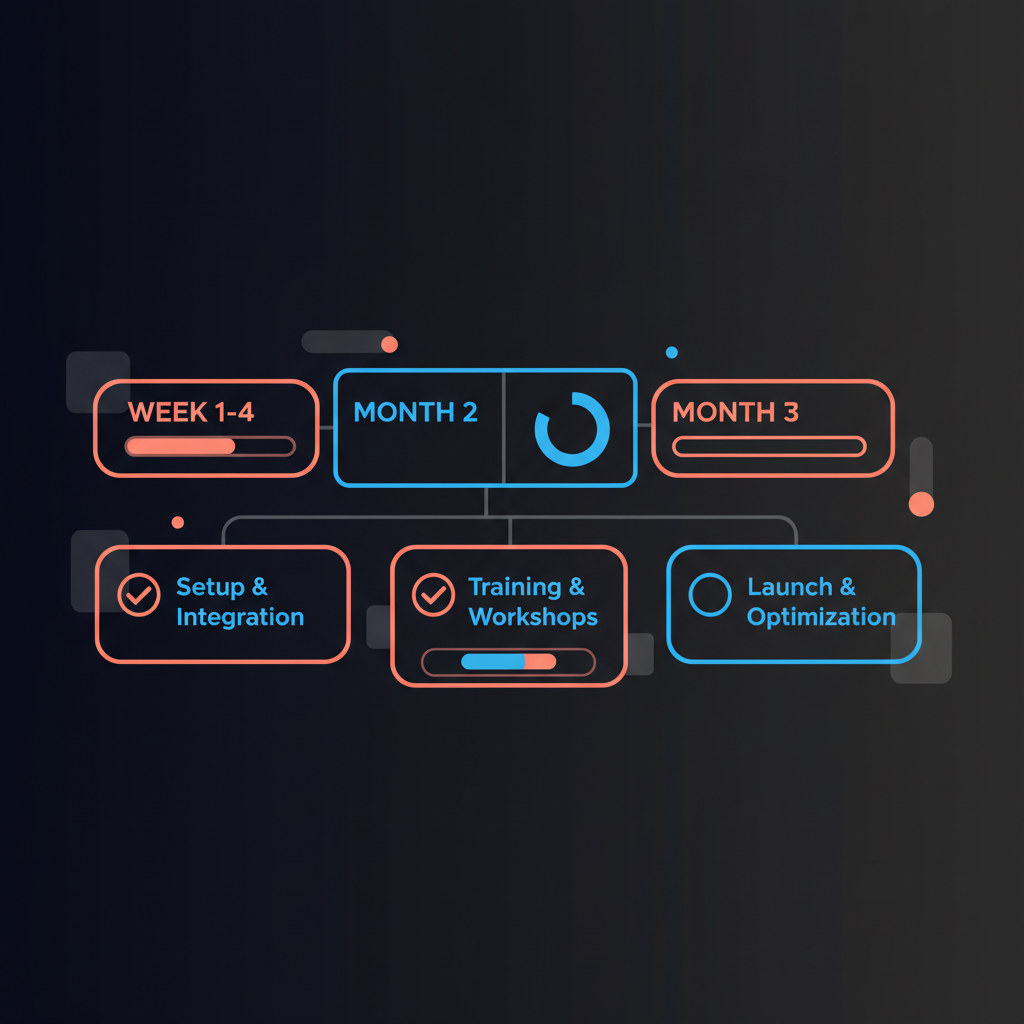
The first 90 days with an AI executive assistant should not be about "turning AI on everywhere." They should be about building a controlled operating rhythm: a daily brief you actually read, a review queue you actually clear, and two or three workflows where the assistant reliably reduces coordination load without creating new risk. This page is intentionally an individual executive adoption plan, not a general team rollout guide. That emphasis is grounded in current adoption data. McKinsey reported in 2025 that 88% of organizations use AI in at least one business function and 79% use generative AI, yet only a small minority say AI is fully scaled across the enterprise. Microsoft reported in 2025 that 82% of leaders see this as a pivotal year to rethink strategy and operations, while 80% of the global workforce says it lacks the time or energy to do its job effectively. The signal is clear: adoption is no longer the hard proof point. Operationalization is (McKinsey, 2025, Microsoft 2025 Work Trend Index, Prosci on AI adoption).
For an executive, the practical answer is simple: start narrow, keep approval in human hands, and measure whether the assistant is reducing coordination load. If you want the adjacent operating pages, see how to roll out an AI executive assistant to your team, daily briefs for executives, and approval workflow governance.
By day 90, a well-implemented AI executive assistant should produce four visible outcomes:
- You have a repeatable morning operating rhythm built around a daily brief and a same-day approval review window.
- The assistant handles specific, narrow work types well: meeting prep, low-risk reply drafts, scheduling proposals, and follow-up drafting.
- You know exactly what the AI can do without friction and what still requires a person, especially for sensitive communication, exceptions, and stakeholder judgment.
- You have basic operating metrics instead of vibes: queue cleared, drafts accepted, time saved, error patterns, and escalation triggers.
More concretely, day 90 should look like this:
| Operating area | What "healthy" looks like by day 90 |
|---|
| Brief habit | Brief read 4-5 weekdays per week, usually in a fixed 10-15 minute slot |
| Review SLA | Low-risk items reviewed the same business day, with no backlog older than 24 hours |
| Workflow scope | 3-5 workflows live, each with a named reviewer and explicit approval rule |
| Draft quality | Low-risk drafts are usually approved as-is or with light edits, not rewritten from scratch |
| Escalation control | Sensitive people, legal, finance, board, investor, and press items are consistently held for human review |
| Value signal | Prep, triage, and follow-up work feels lighter in measurable ways, not just subjectively |
If those four things are not true by day 90, the problem is usually not "AI quality" alone. It is usually one of three failures: no clear ownership, too many use cases too early, or no disciplined review habit.
The best first 90 days start before the first draft is generated.
Do not start with "inbox, calendar, Slack, travel, research, and follow-ups." Start with the lowest-risk, highest-frequency work:
- Daily brief
- Meeting prep
- Low-stakes email drafting
- Scheduling proposals
These work well because they are repeatable, easy to review, and visibly valuable. They also map well to the "human-agent ratio" problem Microsoft highlights in 2025: leaders need to decide which tasks benefit from digital labor and which still require clear human ownership (Microsoft 2025 Work Trend Index).
A simple launch filter helps:
| Launch this early | Delay this |
|---|
| High-frequency work | Infrequent edge cases |
| Easy-to-review drafts | Ambiguous judgment calls |
| Structured inputs and outputs | Politically sensitive conversations |
| Tasks with obvious time savings | Tasks where one mistake is expensive |
For executive work, the safest default is:
- The AI may draft, summarize, propose, and organize
- The executive or delegated human reviewer must approve anything external before it sends
- High-stakes items must always remain human-reviewed
This is not just preference. Both NIST and OECD emphasize human oversight, transparency, and clear boundaries when AI is used in workplace settings, especially where decisions affect people, privacy, or accountability (NIST AI RMF: Generative AI Profile, OECD: Using AI in the Workplace).
In practice, approval-first should be explicit before rollout:
- Green: summarize meetings, compile briefs, propose time slots, draft low-stakes replies
- Yellow: draft stakeholder updates, prepare travel options, suggest follow-up language
- Red: send anything external, handle personnel issues, negotiate terms, respond to legal or reputational risk
If a task category is not clearly green, treat it as yellow or red until proven otherwise.
Do not evaluate the assistant against a fantasy of perfection. Evaluate it against the current manual process.
Before rollout, write down:
- How long email triage takes now
- How long prep for a typical important meeting takes now
- How often follow-ups are delayed
- How fast scheduling decisions happen today
- Which communication categories are too sensitive for AI-first drafting
If you do not baseline the current mess, every later conversation becomes subjective.
Also assign operating roles before day 1:
- Owner: usually the executive, chief of staff, or EA who decides scope
- Reviewer: the person who clears the queue each day
- Workflow tuner: the person who adjusts prompts, templates, and escalation rules
- Escalation owner: the human who handles red-category work when the assistant stops
Even in a one-executive deployment, those roles matter. If nobody owns tuning, failure modes repeat.
The first month is about reliability, not scale.
Get one habit and one queue to stick:
- Habit: read the brief at the same time every day
- Queue: review AI outputs in one place at a predictable time
That sounds basic, but it matters. Prosci's research on AI adoption argues that implementation fails when organizations focus on tool access but underinvest in communication, training, and reinforcement. The issue is not whether the model can draft. The issue is whether people adopt the new workflow consistently (Prosci on AI adoption).
| Week | Primary goal | Operator actions |
|---|
| Week 1 | Stand up the daily brief | Finalize the brief format, connect only the minimum systems, define red/yellow/green categories, and set a fixed review window on the calendar |
| Week 2 | Prove one prep workflow | Use the assistant for recurring meeting prep and scheduling proposals, then review every output the same day |
| Week 3 | Add one low-risk drafting lane | Start with internal notes or low-stakes external replies where edits are easy to spot and tone risk is low |
| Week 4 | Remove noise | Review what was ignored, rewritten, or escalated too often; cut noisy fields, prompts, or workflows rather than adding more |
| Workflow | Why it belongs in month 1 | What success looks like |
|---|
| Daily brief | Creates a reliable daily touchpoint | You read it 4-5 times per week and rarely need to ask, "What am I missing today?" |
| Meeting prep | Easy to judge quality and immediate value | Prep time drops for recurring important meetings and the notes arrive in a predictable format |
| Low-risk email drafts | Builds trust in "draft -> review -> approve" | You approve or lightly edit a growing share instead of rewriting from scratch |
| Scheduling proposals | Structured and operational | Fewer back-and-forth cycles and clearer recommendations on tradeoffs |
Avoid giving the assistant primary responsibility for:
- Board, investor, or press communications
- Sensitive people matters
- Escalations involving legal, compliance, or employment risk
- Relationship-heavy outreach where tone and timing are strategic
- Autonomous sending without approval
NIST's generative AI guidance is useful here: even when the technology is strong, organizations still need risk-based controls for privacy, accuracy, and human accountability (NIST AI RMF: Generative AI Profile).
By the end of the first month, a healthy deployment usually looks like this:
- One brief time is established and used most weekdays
- One review window is established and protected on the calendar
- 2-3 workflow types are active, not 8-10
- Low-risk drafts are increasingly getting approved with edits rather than rewritten from scratch
- The queue is cleared the same day most days
- You can already name the top two failure modes, because you have seen them in review
If none of that is happening, simplify further. Month 1 success is about reducing cognitive overhead, not impressing yourself with capability breadth.
Month 2 is where many rollouts go wrong. Early wins create overconfidence, leaders add too many workflows, and the queue becomes noisy. The 2025 enterprise pattern is consistent across major reports: adoption is broad, but scale is still uneven because workflow redesign and change management lag behind model access (McKinsey, 2025, Prosci on AI adoption).
The right move in month 2 is not "add everything." It is "codify what worked, then add one more workflow."
Good month 2 additions include:
- Post-meeting follow-ups
- Recurring stakeholder updates
- Travel draft planning
- Calendar conflict resolution with clear preferences
Bad month 2 additions include:
- Highly political external messaging
- Open-ended research with no source review
- Anything that changes systems or sends messages without an explicit approval step
Use a promotion rule before adding a workflow to the "stable" set:
- The workflow has been used at least 2-3 weeks without creating hidden review work
- The reviewer can explain the escalation rules in one sentence
- Sensitive exceptions are being caught before sending, not after
- The output format is stable enough that the executive recognizes it immediately
For each active workflow, define:
- Trigger: when the assistant should act
- Output: what draft or recommendation it produces
- Reviewer: who checks it
- Approval rule: what can proceed and what cannot
- Escalation rule: when the assistant must stop and ask
Example:
- Trigger: executive finishes a customer call
- Output: 5-bullet summary + draft follow-up + open questions
- Reviewer: executive or EA
- Approval rule: nothing sends until approved
- Escalation rule: any pricing, legal, personnel, or reputational issue is held for manual handling
That is the right level of detail. Executives do not need a 12-page AI policy to run the first 90 days well. They need crisp instructions that hold up under real calendar pressure.
Prosci's ADKAR model is useful even if you are not "rolling out a program":
- Awareness: Why are we using this assistant at all?
- Desire: What makes it worth adopting?
- Knowledge: What should it handle, and how do I review it?
- Ability: Can I use it in real work without friction?
- Reinforcement: What keeps the habit alive after week 3?
Executives often skip straight to Ability. In practice, they still need the other four.
Month 2 is also when you should start a lightweight operating review:
- Which workflow saves the most time per week?
- Which workflow creates the most edits per draft?
- Which prompts or templates trigger escalations most often?
- Which review step is slowing the queue down: generation, review, or final approval?
Month 3 is where you move from experiments to standards.
Set a 15-20 minute weekly review. Look at:
- Which drafts were approved quickly
- Which items were heavily edited
- Which items were escalated
- Which categories created confusion
- Whether the queue volume feels useful or noisy
If the assistant creates more review work than it saves, narrow scope again.
A mature month 3 setup has a few basic controls:
- One place to review outputs
- One clear audit trail of what was drafted, edited, approved, or rejected
- One owner for prompt or workflow tuning
- One list of disallowed or always-human tasks
This is where an approval-first product matters. Alyna's value is not just that it drafts. It is that the executive retains control over what goes out, with a reviewable trail instead of invisible automation. That approach aligns with the direction of NIST, OECD, and enterprise AI governance more broadly: human oversight should be operational, not rhetorical (NIST AI RMF: Generative AI Profile, OECD: Using AI in the Workplace).
By month 3, you should be able to answer these operating questions without guessing:
- Which workflows are production-ready for this executive?
- Which ones remain assistive only and should never be considered autonomous?
- What kinds of edits happen repeatedly, and can they be fixed upstream?
- Who reviews if the executive is traveling, in back-to-back meetings, or unavailable?
These are reasonable operating targets, not guarantees:
| Metric | Healthy by day 30 | Healthy by day 60 | Healthy by day 90 |
|---|
| Brief usage | 3-4 days/week | 4-5 days/week | stable habit with a standard format |
| Queue clearance | same day most days | same day consistently | predictable SLA with almost no items older than 24 hours |
| Active workflows | 2-3 | 3-4 | 3-5, still controlled |
| Draft acceptance | useful with edits | acceptance improving | low-risk drafts often need light edits only |
| Escalation discipline | obvious red items held | edge cases improving | sensitive categories consistently routed to humans |
| Time savings | visible in isolated cases | consistent in core workflows | meaningful reduction in triage, prep, and follow-up load |
Notice what is missing: "full autonomy." That is deliberate.
If you want the rollout to feel like an executive operating plan instead of an AI experiment, track a small dashboard every week:
| Metric | Why it matters | Warning sign |
|---|
| Brief read rate | Confirms the assistant is anchored in a real habit | The brief exists but is ignored more than it is used |
| Same-day queue clearance | Prevents the assistant from becoming another inbox | Outputs sit unreviewed for more than a day |
| Accepted vs. rewritten drafts | Measures whether quality is improving or just shifting work | Most drafts are being rewritten from scratch |
| Escalation rate by workflow | Shows where the assistant still lacks judgment boundaries | Sensitive items are leaking into normal review |
| Top 3 recurring edits | Identifies what to fix in prompts, templates, or source inputs | The same edit happens every week with no change |
| Time returned to the executive | Keeps the rollout anchored to value | Team says it feels useful but calendar pressure has not changed |
The assistant should reduce coordination drag, not replace executive judgment. Microsoft reports that leaders are rethinking how to use digital labor, but the core question is still task allocation and oversight, not blind delegation (Microsoft 2025 Work Trend Index).
Structured tasks improve faster than political or emotional ones. Meeting prep and scheduling proposals tend to stabilize earlier than nuanced stakeholder communication.
Deloitte's data suggests the technology often advances faster than the organization can absorb it. If month 2 feels slower than the demo promised, that is normal (Deloitte State of Generative AI Q4 2024).
OECD highlights worker concerns about transparency, autonomy, privacy, and oversight. In executive settings, the answer is not blind trust. It is visible review, clear boundaries, and the ability to contest or override outputs (OECD: Using AI in the Workplace).
- Too much scope: You connected every channel and now review feels heavier than the original work.
- No daily anchor habit: The brief exists, but you do not actually read it.
- No protected review time: The queue becomes another inbox.
- No task boundaries: Sensitive work slips into AI-assisted drafting without intent.
- No named owner: Everyone assumes someone else is tuning the workflow.
- No kill criteria: Low-value workflows stay live because nobody explicitly turns them off.
- No measurement: Everyone says it "feels promising," but nobody knows whether triage time fell.
If you see these patterns, do not add features. Shrink scope, tighten the workflow, and restore the approval habit.
The first 90 days with an AI executive assistant should look more like an operational rollout than a software trial. Start with a daily brief, a controlled approval queue, and a small number of high-frequency workflows. Assign owners, define escalation rules, review the queue on a same-day SLA, and track a small dashboard that tells you whether the assistant is genuinely reducing load. Keep sensitive communication, judgment calls, and anything reputationally risky behind human review. That is how an AI assistant becomes durable executive leverage instead of one more interesting tool.
Alyna is built for this conservative-but-effective path: draft-first workflows, explicit approvals, auditability, and executive control across email, calendar, and messaging. For adjacent guidance, see how AI executive assistants save time, approval workflows for executives, and 5 things to never let your AI assistant do.
Alyna: your AI chief of staff. Start narrow, keep approvals human, and build trust through visible review. Get access.